The Sketchy Inquisitive “Wireframe”
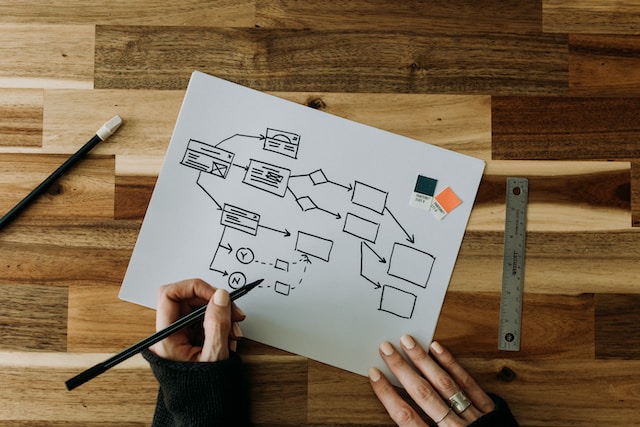
In the early stages of a project I like to do a bit of “sketchy wireframing.” Typically, this early on, I don’t have all the content constraints pinned down. It might not be immediately clear where it all should live or even if there’s a need to have the client produce supplemental content. It helps me to grasp the general direction and communicate a page’s intent more easily if I have a way to reign in some of this cloudy thinking. A traditional wireframe (if ever there were such a thing) might have labels like “Promo Image” or “Product Description Text.” Those labels are great for describing elements you are certain about. In a situation where you’re juggling the roles of designer, IA, and content strategist, you’re going to need all the help you can get to tie these things together. The “Sketchy Inquisitive Wireframe” is a simple, quick way to generate ideas and it helps in getting your clients’ and teammates’ wheels turning as well.
To start, I’ll sketch out my screen or page layout, as I would in any other sketch or diagram, making sure to keep it very simple. I don’t need to map interactions or place widgets on this diagram. What I need to do is to build a screen that asks a series of questions that are generated from audience research, and then work toward answering those questions as the design progresses.
Take the example of the page that informs a visitor of a service for which they may wish to register. Instead of fixing a label like “Video Demonstration,” we can keep our options open and ask a question like “How does this product help me?” Instead of a box that represents an image (which we may later decide is better served by a video or other treatment), we can use a placeholder that asks “How do I use this product?” or “What are some benefits of using this product?”
At this stage, I’m not concerned with the precise layout of all the page elements. Instead, I want to compare the relative importance of the various elements and make sure I set myself up to meet the needs of the user by answering these questions. It’s all very flexible and easy to play around with.
This method leaves more room for interpretation and allows the design to coalesce into something more focused from the beginning. It also helps during those times when you’re missing some pieces, as it can help you identify where you might need to have a copywriter or the client produce additional content. It also comes in handy when (albeit somewhat rare) you have all of the content and you’re charged with selecting the most useful portions for the design.
I would recommend doing something like this as early in the design phase as possible; right around the time when you start sketching and prototyping. You’d be surprised at what kinds of ideas you can generate and the number of content woes you can alleviate with this technique.